
Decks is an agent‑first slide dashboard built for a future without PowerPoint
Congrats, you've been promoted to partner. Your job is now pushing story and ideas further.
Free and open source. Works with Claude Code or Codex, on your Mac or Linux machine. For a direct link, click here.
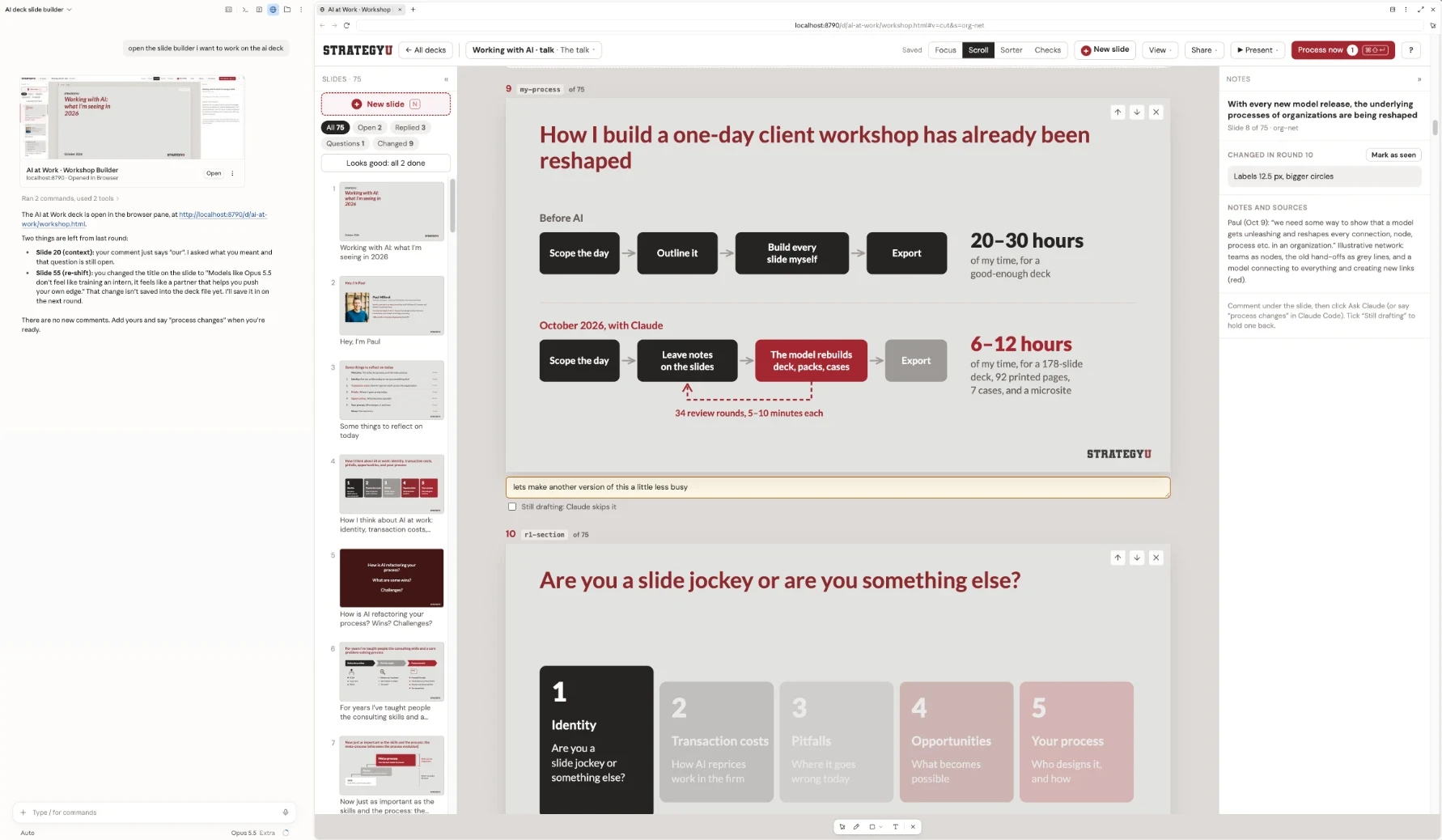
I'm not sure I'll ever align boxes in PowerPoint again
I spent almost a decade in PowerPoint. I spent hundreds of hours aligning boxes, formatting text, and fixing minor issues. I don't think I'll use PowerPoint again, and that's a good thing.
With Astra and Opus 5.5, we've reached a tipping point. I think that bulky software like Google Slides and PowerPoint increasingly doesn't make sense, especially for a solo operator like me. Handling basic formatting is trivial now and you can play project manager or partner, with the latest models as your Senior Associate.
Decks is built that way. You say what should change, your agent changes it, and it tells you on the slide what it did and why. When I make slides now, this is my daily driver and harness.
Paul Millerd
Models like Opus 5.5 don't feel like training an intern. They feel like a partner that helps you push your own edge.
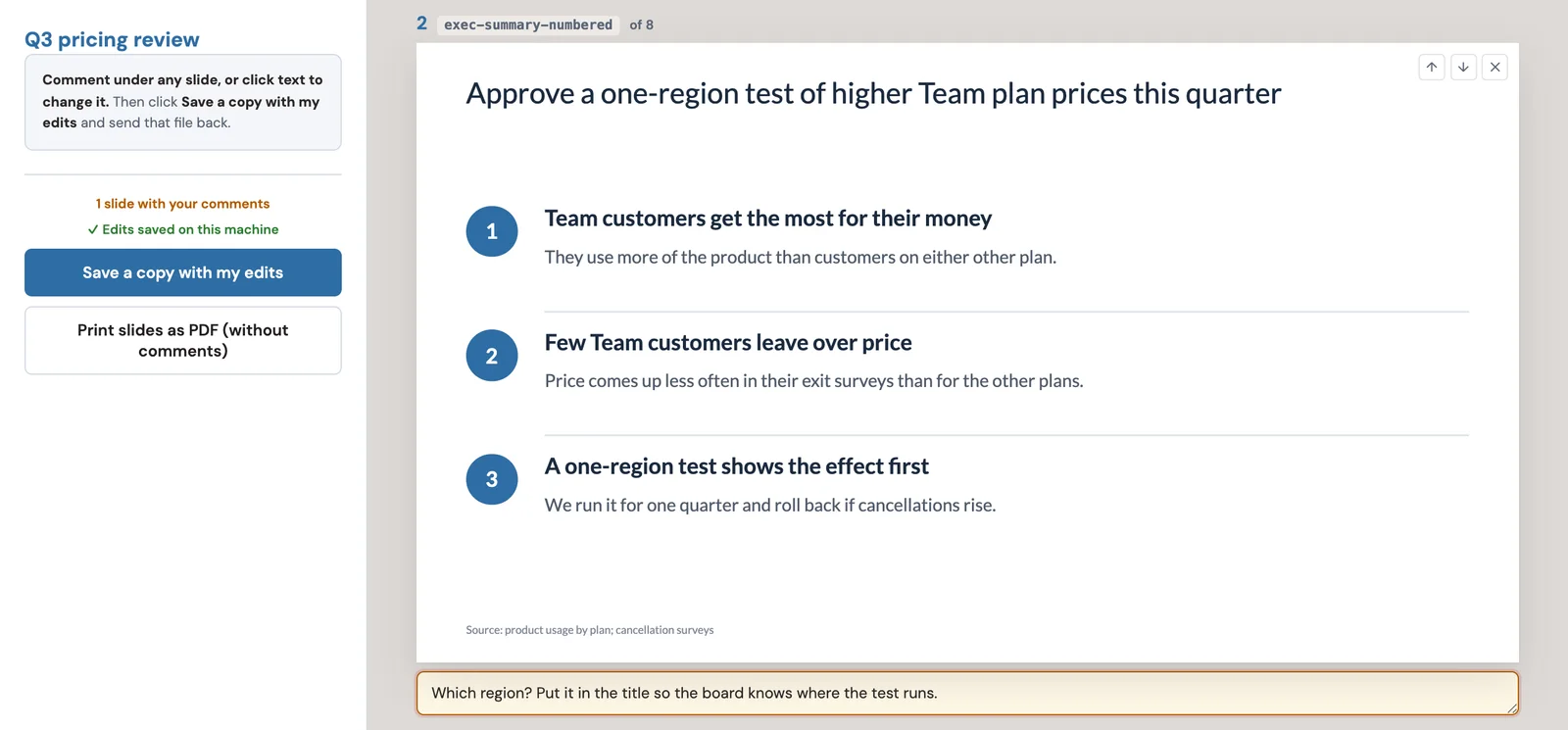
You comment. Your agent edits the deck and answers on the slide.
- 01
Write what should change under a slide, or click any text and fix it yourself.
- 02
Click Ask Claude, or say “process changes” in Claude Code or Codex.
- 03
The agent edits the deck and replies on each slide: done, a question for you, or why it left something alone.
- 04
Looks good clears a comment. Reopen sends it back for the next round.
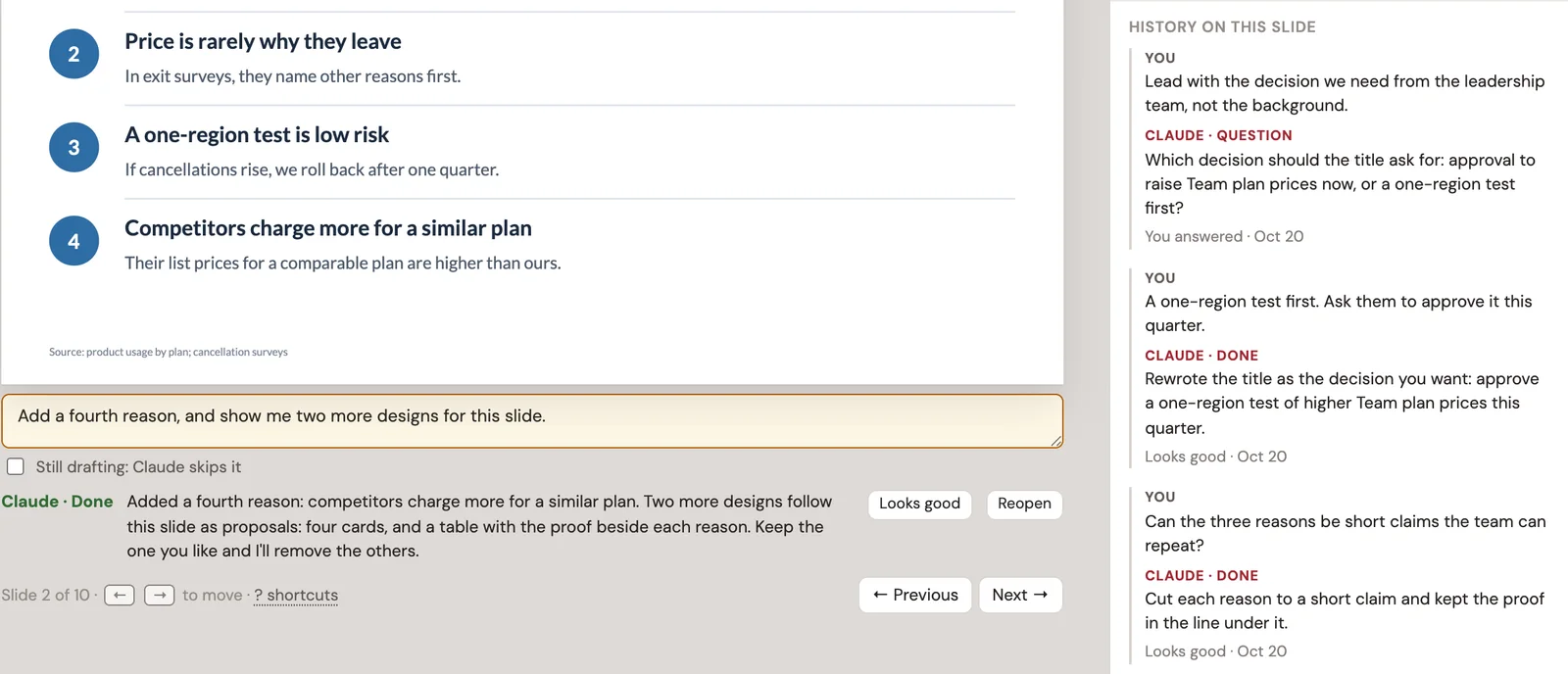
In Claude Code, one click starts the round
Say “Watch my decks” once, and Ask Claude becomes Process now.

5 tests to make your ideas compelling
PowerPoint defaults often nudge ideas toward mediocrity. These five tests are ones I teach to my clients, and they are designed to push your thinking further.
- 1
5-second test
Do you get the point at a glance?
- 2
10-second test
Can a reader take it in? A miss becomes a comment for the next round.
- 3
Horizontal flow
Read only the titles. Do they tell the story?
- 4
Vertical flow
Say what the title promises, then reveal the body and check it delivers.
- 5
Guides
Margins, title length, and text size, drawn on the slide. One click turns a miss into a comment.
“It's educational; because it's got your principles baked into the checks, I'm learning about how to structure a slide deck.”
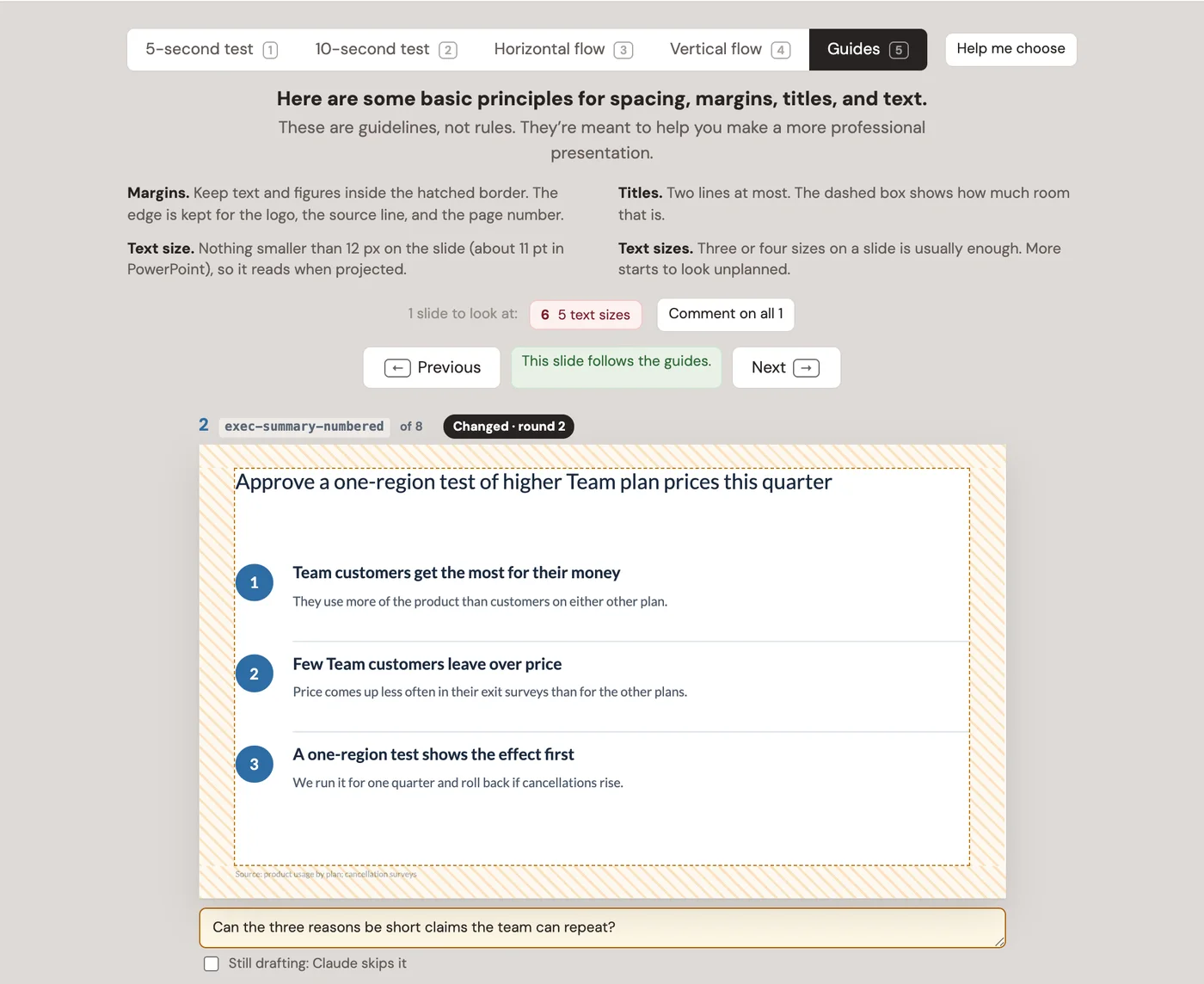
Software with a strong point of view: a built-in skill with the principles I teach
Decks ships with a skill for Claude Code and Codex. Every slide your agent writes or fixes follows these rules:
- Answer first. Lead with the recommendation, then the evidence.
- Ghost deck first. Write every title, in order, before building a single slide. It’s the cheapest moment to fix the story. Ghost decks.
- Action titles. Every title is a full sentence that says the point: “Q3 revenue grew 22%, driven by enterprise expansion”, not “Q3 Revenue”. Action titles.
- Vertical flow. The body proves the title, and there’s no takeaway box at the bottom. The principles of flow.
- Horizontal flow. Read only the titles, in order, and they tell the whole story.
- The ten-second test. A slide people read can be taken in within ten seconds: one point, a clear hierarchy, a chart that reads without study. The ten-second test.
- “So what?” A slide can be easy to read and still say nothing. Every slide tells the audience what to think. Pretty slide syndrome.
- One idea per slide. If it needs “and also”, it’s two slides.
- Charts prove the title. Bars, columns, and lines. The number that matters stands out. Never a pie chart.
- Draw the relationship. No grids of identical boxes. Show the process, the spectrum, or the chart instead.
The full method is in my full course, Think Like A Strategy Consultant.
Give AI more context for better work
What you’re making, who it’s for and the one point they should leave with, and how it should look. Decks writes your brief and copies a prompt. Paste it, and the agent builds the first draft.
Start from a consulting storyline, a talk, a workshop day, a proposal, or a blank deck. The consulting storyline is built from our free consulting PowerPoint templates.
Build additional decks too. It's trivial for an AI to do additional versions, so build CEO decks, client decks, review decks, or whatever alternative version makes sense.
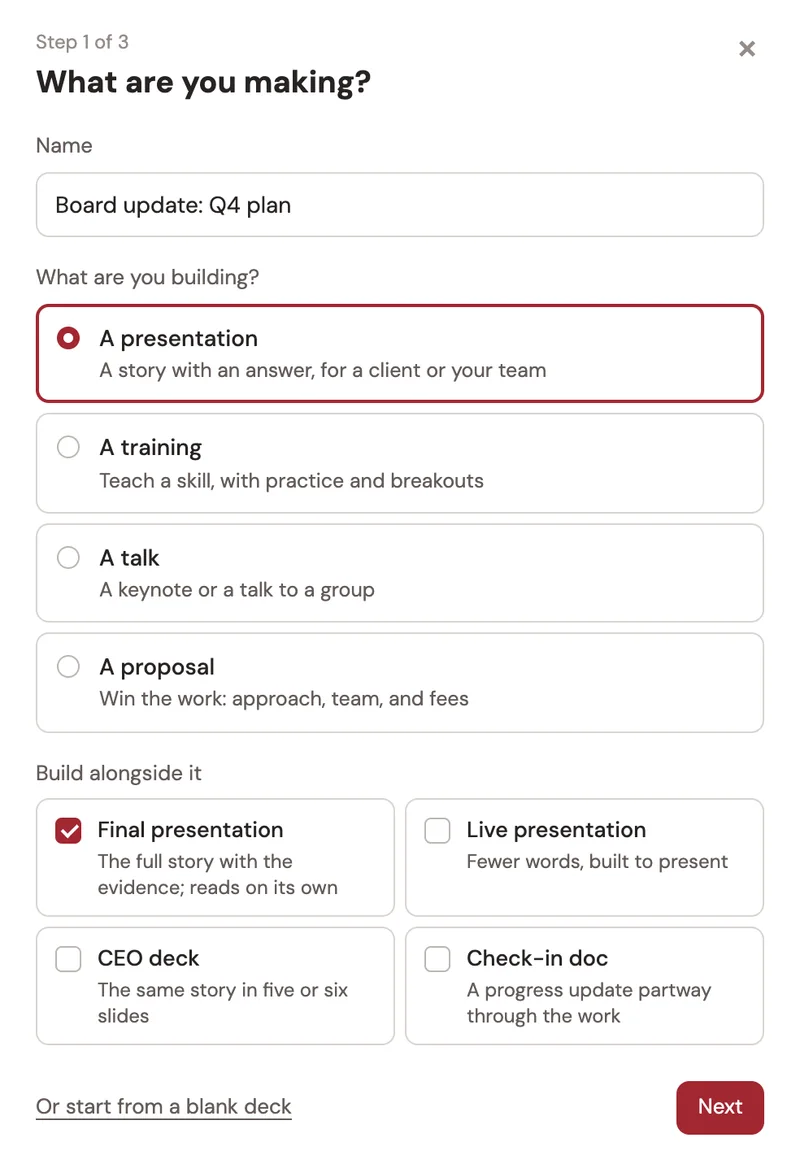
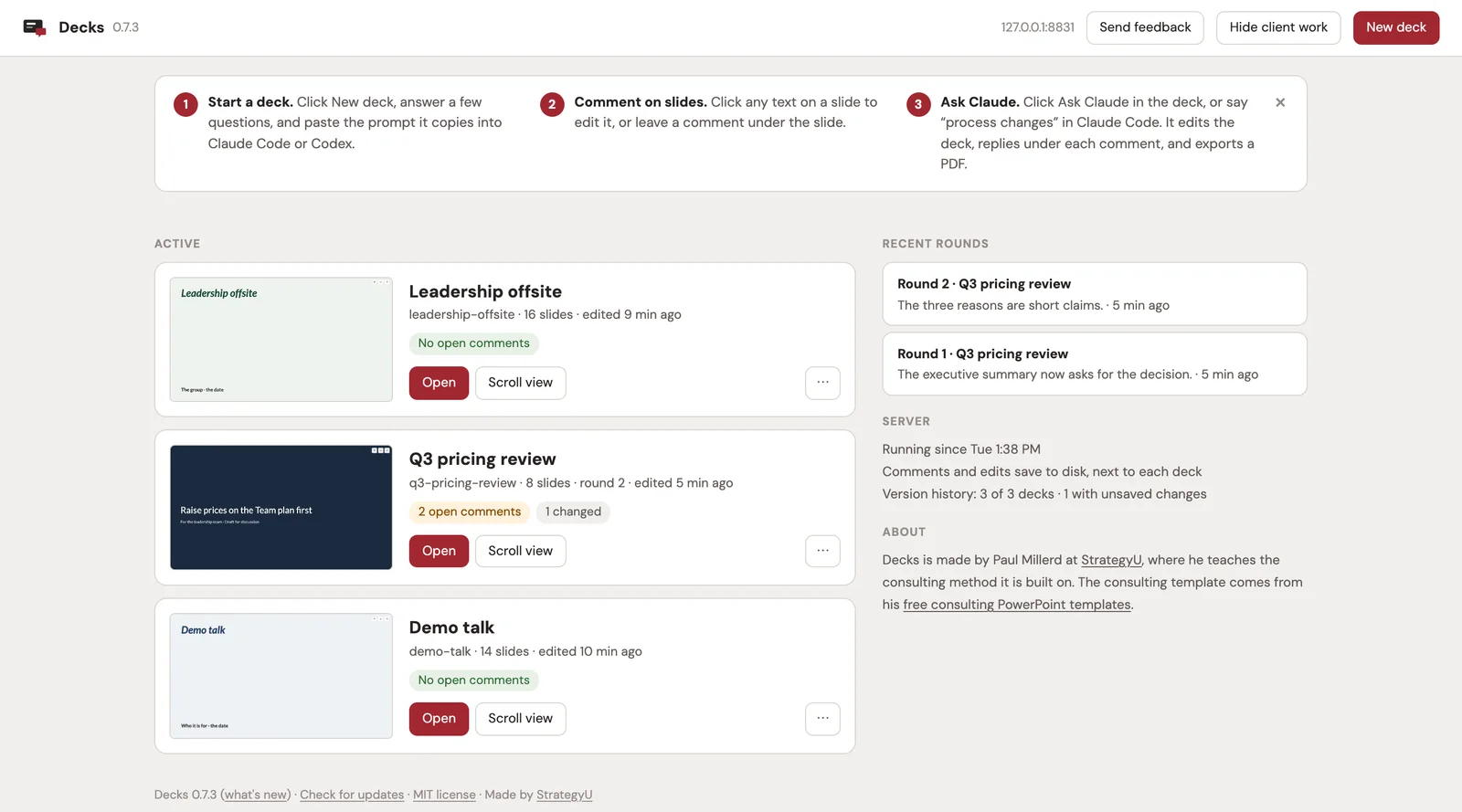
Every deck stays on your machine, one file each
Decks runs in the built-in browser of the Claude or Codex app, next to the chat. Each deck is one HTML file in its own folder, with its own version history. It opens in any browser, presents full screen, and prints to PDF. The dashboard shows every deck with its open comments and recent rounds.
One paste sets it up
Enter your email and the setup prompt opens here.
Get Decks freePaste this into Claude Code or Codex
Set up Decks for me: https://github.com/paulmil11/decks

1. Clone it into ~/decks and run ./setup.sh there.
2. Start the server with python3 server.py and keep it running. Open http://localhost:8790 in your built-in browser so we're looking at the same page.
3. Read AGENTS.md in that folder and follow it from here on.
4. Ask me what I'm making, who it's for, and the one point they should leave with. Make the deck with ./sb new, then show me every slide title in order before you build any slides.
Or install it yourself
Needs Python 3.9+, Node.js 18+, and git, on macOS or Linux.
git clone https://github.com/paulmil11/decks
cd decks
./setup.sh
python3 server.py
Then open http://localhost:8790/. A demo deck is waiting.
To update, run git pull and restart. The dashboard tells you when a new version is out.
Learn the method behind the checks
Decks applies the method. The course teaches it: structured problem solving, MECE, the Pyramid Principle, and slide design. 1,500+ students in 65+ countries.
Questions about Decks
Is Decks really free?
Yes. The code is MIT licensed and the template slides are CC BY 4.0. Decks you make are yours, and you can send them to anyone. Enter your email once to get the link and the get-started prompt. Your email also adds you to the free six-day email course, then Paul's regular emails on strategy, consulting, and our courses. You can unsubscribe anytime.
What do I need to run it?
A Mac or a Linux machine with Python 3.9 or newer, Node.js 18 or newer, and git. Then Claude Code or Codex to do the editing.
Where do my decks live?
On your machine, in ~/slide-decks unless you change it, one folder per deck with its own version history. Decks keeps nothing anywhere else. Your agent sends what it reads to its model provider, as it does with any file. Every six hours the server asks GitHub whether a newer version of Decks is out. Nothing about your decks is sent, and you can turn the check off.
Can I send a deck to someone who doesn't use Decks?
Yes. A Client copy is one HTML file that opens in any browser, scrolls, presents full screen, and prints one slide per page. You can also save any deck as a PDF.
Can I use my own logo and colors?
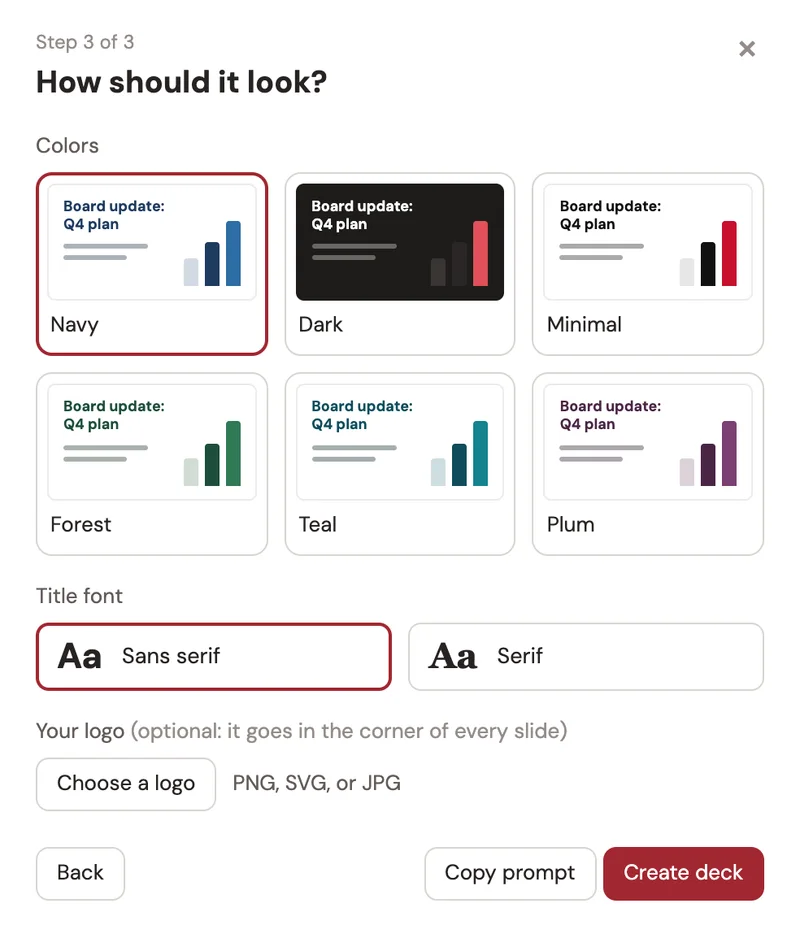
Yes. When you start a deck, pick one of six color sets and a serif or sans serif title font, and upload your logo to put it in the corner of every slide. The colors live in one place in the deck file, so you can restyle the whole deck at once.